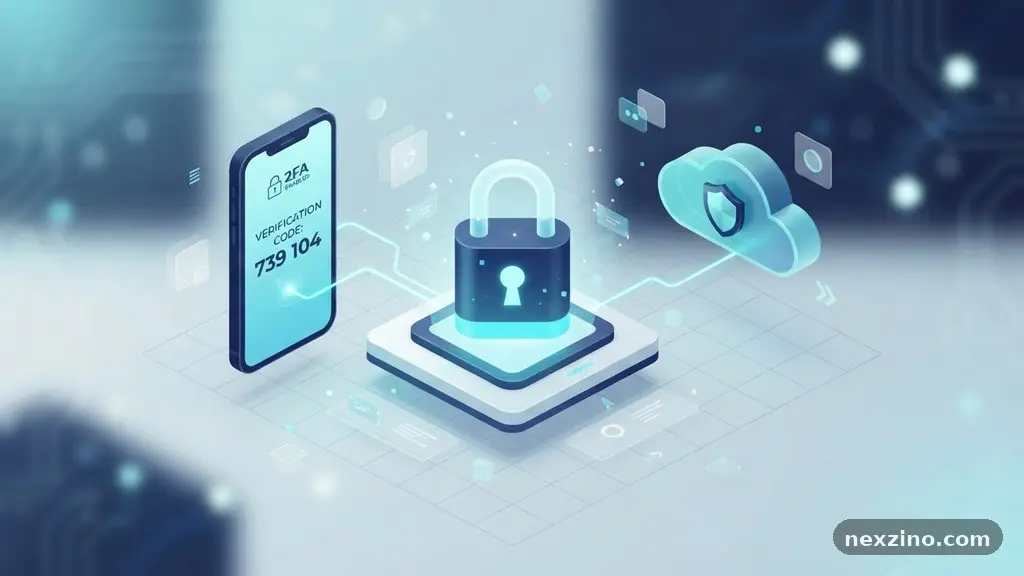
Understanding the mechanics of Two-Factor Authentication and When Should You Use It is essential for anyone managing sensitive data online. At its core, this security layer requires two distinct forms of identification to verify your identity before granting access to an account. By moving beyond a simple password, you create a significant barrier against unauthorized access and potential data breaches.
Whether you are protecting financial records, personal emails, or professional cloud infrastructure, implementing this secondary defense is a practical step toward digital safety. This article examines how these systems function, the different methods available, and the specific scenarios where they provide the most effective defense against modern cyber threats.
Defining the Mechanics of Two-Factor Authentication
Two-factor authentication, frequently abbreviated as 2FA, acts as a secondary gatekeeper for your digital life. While a password serves as the “something you know” factor, 2FA adds a second layer that proves you are physically in possession of a specific device or possess a unique biological trait. This dual-layered approach ensures that even if a hacker successfully guesses or steals your password, they remain locked out of your account without the secondary credential.
The process typically begins after you enter your username and password on a login screen. Once the primary credentials are verified, the system prompts you for the second factor, such as a time-sensitive code or a physical tap on a device.
This interaction happens in a matter of seconds, providing a balance between high-level security and user convenience. Because the second factor changes frequently or is tied to a physical object, the window of opportunity for an attacker to intercept it is extremely narrow.
Technological advancements have moved the industry toward more sophisticated versions of this process. While early implementations relied heavily on simple text messages, modern systems now favor more secure protocols like Time-based One-Time Passwords (TOTP).
By integrating these methods into your daily workflows, you significantly reduce the likelihood of a successful account takeover. Security experts generally agree that moving away from single-factor authentication is the most impactful change an average user can make to improve their personal security posture.
The Evolution of Authentication Methods
The methods used to verify identity have changed drastically over the last decade. Early adoption was centered on SMS verification, where a server sends a six-digit code to your mobile phone via text. While this was a major improvement over passwords alone, it is vulnerable to “SIM swapping,” a technique where attackers convince a mobile carrier to transfer your phone number to their own device.
Modern security standards now prioritize methods that do not rely on cellular networks. Authenticator apps have become the industry standard because they generate codes locally on your device using a shared secret key.
Because the code never travels across the cellular network, it is immune to interception by malicious actors targeting your phone number. Popular tools like Google Authenticator or Authy provide a consistent experience across different platforms.
Biometric authentication represents the next frontier in this evolution. By utilizing fingerprint scanners or facial recognition technology, platforms can verify your identity without requiring you to type in a numeric code.
This method is exceptionally secure because it ties the authentication process to your unique physical characteristics. When you combine these various methods, you create a layered defense that is difficult for automated bots and human hackers to bypass simultaneously.
Comparing Common Authentication Factors
Choosing the right method depends on your risk tolerance and the sensitivity of the information you are protecting. Some methods prioritize ease of use, while others prioritize absolute security. The following table provides a quick comparison of the most common factors used in multi-factor authentication (MFA) setups today.
| Method | Security Level | Convenience | Primary Vulnerability |
|---|---|---|---|
| SMS Verification | Low | High | SIM Swapping |
| Authenticator Apps | Medium-High | Medium | Device Loss/Theft |
| Push Notifications | High | Very High | MFA Fatigue Attacks |
| Hardware Keys | Very High | Low | Physical Loss/Cost |
When You Should Prioritize Multi-Factor Security
Not every account requires the same level of scrutiny, but certain categories demand immediate protection. Any account that stores financial information, such as online banking portals, investment dashboards, or cryptocurrency exchanges, should have the highest tier of security enabled.
These accounts are primary targets for criminals because they offer a direct path to monetary gain. If you have a breach here, the consequences are often immediate and difficult to reverse.
Personal communication hubs also require a secondary layer of defense. Your primary email address is often the “master key” to your entire digital identity, as it is used to reset passwords for every other service you use.
If an attacker gains access to your email, they can systematically take over your social media, retail accounts, and even private cloud storage. Securing this account with a hardware security key or a robust authenticator app is a critical best practice.
Professional environments and cloud-based work tools are equally important. If you work remotely or access company servers, your employer likely requires MFA to prevent unauthorized access to proprietary data.
Even for personal projects or cloud storage containing sensitive documents, adding a secondary gate is a prudent measure. By identifying your most critical accounts, you can allocate your security efforts where they will have the greatest impact on your overall safety.
Hardware Security Keys and Advanced Protection
For those seeking the highest level of security, hardware security keys represent the gold standard. Devices like the YubiKey act as a physical “something you have” factor that must be plugged into a USB port or tapped against an NFC-enabled phone to authorize a login.
Because the secret key is stored on the physical device and cannot be extracted, these keys provide near-perfect phishing protection. Even if an attacker tricks you into visiting a fake login page, they cannot replicate the physical signature required by the key.
Hardware keys are particularly effective for high-value targets, including journalists, activists, and corporate executives. They remove the human element of potential error, such as typing a code into a malicious website.
While they require an initial financial investment and can be lost, the peace of mind they provide is unmatched by software-based alternatives. Most major tech platforms now support these keys, making them easier to implement than ever before.
Integration of these keys is usually straightforward. You register the key in your account settings, and from that point forward, the system will not grant access unless the key is present.
This hardware-based approach effectively eliminates the threat of remote account takeover. While they might seem like overkill for a casual social media account, they are an essential tool for anyone who cannot afford the risk of a compromised identity.
The Role of Push Notifications
Push notifications have gained popularity because they offer a superior user experience compared to manual code entry. Instead of opening an app and transcribing a series of digits, you simply receive a prompt on your smartphone asking, “Are you trying to sign in?”
A single tap on “Approve” completes the process. This method is incredibly fast and reduces the friction associated with traditional MFA.
However, users must be aware of “MFA fatigue” attacks. In this scenario, an attacker who already has your password bombards your phone with push requests, hoping you will eventually hit “Approve” just to stop the notifications.
To defend against this, many platforms have introduced “number matching” where you must type a code displayed on the login screen into your phone app. This ensures that you are actively involved in the verification process.
Always treat unexpected push notifications with suspicion. If you receive a login request while you are not trying to access an account, deny the request immediately and consider changing your password.
When used correctly, push notifications are a powerful tool that balances security with daily convenience. They remain one of the most effective ways to encourage widespread adoption of multi-factor security across non-technical user groups.
Frequently Asked Questions
Is SMS verification still considered secure enough for personal use?
While SMS verification is better than no security at all, it is increasingly considered insecure due to the risk of SIM swapping. If you have the option to use an authenticator app or a hardware key, you should prioritize those methods over text-based codes.
What happens if I lose my phone or hardware security key?
Most services provide “backup codes” or “recovery keys” when you first set up MFA. You should store these codes in a safe, offline location, such as a physical safe or a password-protected document, to regain account access if your primary device is lost.
Do I need to enable MFA on every single account I own?
It is recommended to enable MFA on every account that supports it, starting with your email, banking, and social media. If a service does not support MFA, consider using a unique, complex password generated by a password manager to compensate for the lack of a second factor.
Can I use multiple MFA methods for the same account?
Many services allow you to register multiple methods, such as an authenticator app as your primary factor and a set of backup codes as a secondary option. This provides redundancy in case your phone is unavailable or the app fails.
Does MFA protect me against all types of hacking?
No security system is impenetrable, but MFA significantly reduces the risk of account takeover. It effectively stops automated credential stuffing and password-based attacks, though you should still remain vigilant against phishing attempts and malware.
Final Thoughts on Digital Security
Implementing secondary authentication is one of the most effective ways to protect your personal information in an increasingly connected world. By understanding Two-Factor Authentication and When Should You Use It, you can take control of your digital identity rather than leaving it vulnerable to common threats. Start by enabling this feature on your most sensitive accounts, such as your primary email and financial services, and gradually expand your coverage to other platforms.
Remember that the goal is to make your accounts difficult for attackers to breach without making your daily life overly complicated. With the right tools like authenticator apps and hardware keys, you can build a resilient defense that keeps your data safe. Stay proactive, keep your backup codes secure, and enjoy the peace of mind that comes with knowing your accounts are properly shielded.