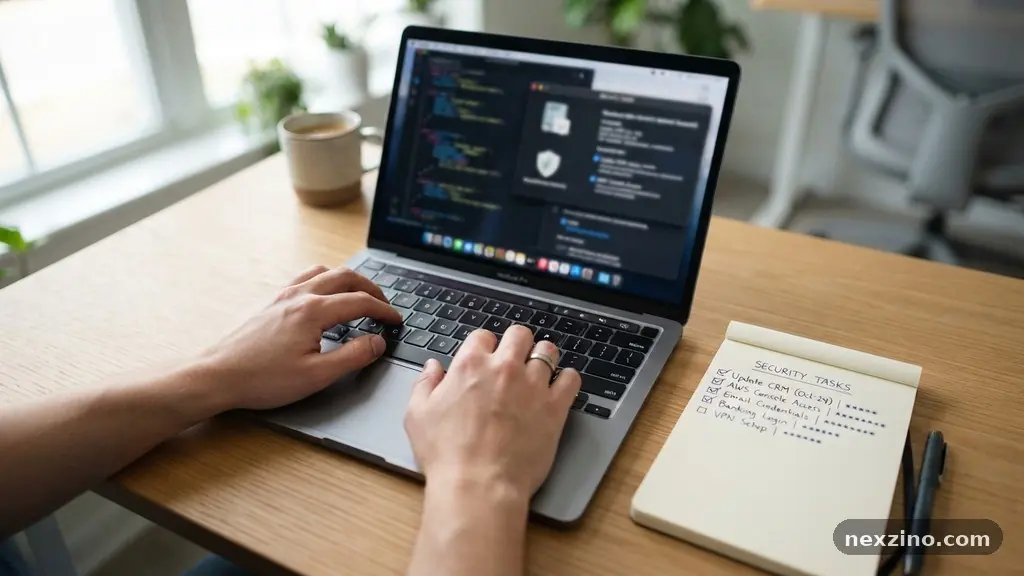
Maintaining a secure digital presence requires more than just choosing a complex password for your email. By following a Practical Checklist for Reviewing Your Online Account Security, you can systematically reduce the risk of unauthorized access to your sensitive personal data. This process involves auditing your existing login methods, updating recovery options, and staying vigilant against common threats like phishing and credential stuffing.
Taking these small, deliberate steps today significantly lowers the likelihood of your accounts being compromised in a future data breach. You will find that consistent maintenance is far more effective than reacting to a security incident after it has already occurred.
Auditing Your Current Password Habits
The foundation of any security strategy starts with how you manage your credentials. Many people reuse the same password across multiple sites, which creates a single point of failure.
If one service suffers a breach, an attacker can use your leaked credentials to gain entry to your other accounts. This technique, known as credential stuffing, relies entirely on the assumption that users lack a strong password policy across their digital life.
You should aim to create unique, complex strings for every single platform you use. Remembering dozens of random character sequences is impossible for the human brain, which is why a dedicated password manager is essential.
These tools generate, store, and auto-fill your credentials, ensuring that each account has a unique key that you don’t actually need to memorize. Most modern browsers offer basic versions, but standalone applications often provide better cross-device synchronization and security features.
If you are still relying on a mental list of passwords, now is the time to transition. Start by changing the credentials for your most sensitive accounts first, such as your primary email and banking portals.
Once you have a manager in place, you can gradually rotate the passwords for your lower-priority accounts as you log into them. This method prevents you from feeling overwhelmed by the sheer volume of accounts you likely maintain.
Implementing Multi-Factor Authentication
Multi-factor authentication, or MFA, serves as your second line of defense if your password is ever stolen. Even if an attacker obtains your login credentials, they will still need the second factor to gain entry to your account.
This is arguably the most effective step you can take to prevent unauthorized access. You should prioritize enabling this on every account that supports it, especially those containing financial or personal information.
There are several ways to implement this protection, ranging from simple to highly secure. The most common method involves a time-based one-time password generated by an app on your phone.
These apps are generally more secure than receiving text message codes, which can be intercepted through SIM swapping attacks. If you want the highest level of protection, consider using a hardware security key that plugs into your device’s USB port.
When you set up these secondary methods, always save your backup codes in a secure, offline location. If you lose your phone or the hardware key, these codes are your only way to regain access to your account.
Without them, you might find yourself locked out permanently, which can be just as frustrating as a security breach. Keep these codes in a physical safe or a secure document vault that only you can access.
Reviewing Recovery and Security Options
Many users set up their account recovery details years ago and never look at them again. This is a mistake because an outdated recovery email or a stale phone number can effectively lock you out of your own account during a crisis.
Regularly verify that the email address associated with your recovery process is still active and secure. If your recovery email is compromised, an attacker can use it to reset the password on your primary account.
You should also be wary of traditional security questions, as the answers are often easily found on social media. Information like your mother’s maiden name, the name of your first pet, or the street you grew up on can be discovered by anyone with a little bit of research.
If a service forces you to use these, provide a fake answer that you store in your password manager instead of the truth. This turns a weak security feature into a unique, unguessable password.
Reviewing these settings is a core component of a Practical Checklist for Reviewing Your Online Account Security. Take a few minutes to walk through the “Security” or “Privacy” settings menu on your most important platforms.
Look for any linked accounts that you no longer use, such as old social media logins or third-party apps, and remove them. Reducing your digital footprint minimizes the number of doors an attacker might try to kick down.
Monitoring for Suspicious Activity
Proactive monitoring is the difference between a minor annoyance and a major disaster. Most major platforms now provide a dashboard that shows your recent login history, including the device type and approximate location.
Checking this list occasionally can alert you to potential breaches before they escalate. If you see a location you don’t recognize, you should immediately change your password and end all active sessions.
Session management is a critical tool that allows you to force a logout on every device that is currently signed in. If you suspect your account has been accessed by someone else, use this feature to clear all open connections.
Once you have cleared the sessions, log in again and verify that your profile settings have not been altered. Attackers will often change your email address or recovery phone number to ensure they maintain long-term access.
Some services also offer email or push notifications for new, unrecognized logins. Enable these alerts for every account that supports them, even if you find them slightly annoying.
A notification that arrives when you are not actively using the service is a clear signal of unauthorized access. Acting on these alerts within minutes can stop an intruder before they have time to download your data or change your security credentials.
Understanding the Threat of Phishing
Phishing remains the most common way that attackers steal credentials in the first place. You might receive an email that looks like it comes from your bank or a streaming service, warning you that your account is locked.
These messages are designed to create a sense of urgency, pressuring you to click a link and enter your login details on a fake site. Always inspect the sender’s email address closely and hover over any links to see where they actually lead.
If you are ever in doubt about an account alert, do not click the link in the message. Instead, open your browser and manually type the URL of the service into the address bar.
This ensures that you are interacting with the official website rather than a malicious clone. For more detailed insights into protecting your identity, the Federal Trade Commission provides extensive resources on recognizing and reporting phishing attempts.
Modern email providers have gotten better at filtering these messages, but none are perfect. Treat every unsolicited request for login information with extreme skepticism.
Legitimate companies will never ask you to provide your password or MFA code via email or text. If someone calls you claiming to be from tech support and asks for your credentials, hang up immediately and contact the company through their official support channel.
Comparing Security Features by Account Type
Different types of accounts require different levels of vigilance. A social media account might be annoying to lose, but a compromised banking account has direct financial consequences.
You should categorize your accounts based on the level of risk and apply your security checklist accordingly. The table below outlines how you might prioritize your efforts across different digital platforms.
| Account Type | Risk Level | Essential Security Measure |
|---|---|---|
| Banking / Finance | Very High | Hardware Key or App-based MFA |
| Primary Email | Very High | Unique Password + App-based MFA |
| Social Media | Medium | Complex Password + SMS or App MFA |
| Retail / Shopping | Low | Unique Password (no saved card) |
Focusing your energy on the “Very High” risk accounts provides the best return on investment for your time. For retail sites, you can further minimize risk by opting not to save your credit card information on their servers.
If a shopping site is breached, they won’t have your payment data to steal. It is a small convenience to type your card number each time, but it is a massive boost to your overall security posture.
Building a Consistent Maintenance Routine
Security is not a one-time task that you finish and walk away from. You should incorporate these checks into your regular routine, perhaps tied to a recurring event like a birthday or the start of a new month.
A quarterly review is often enough to keep your accounts in good standing without becoming a burden. During this time, you can also update your software and operating systems, which often include critical security patches.
It is also helpful to keep a simple log of the accounts you have secured. You don’t need to write down your passwords, but keeping a list of which accounts have MFA enabled can help you track your progress.
If you find yourself struggling to keep up with the maintenance, focus on the top five most important accounts. These are usually your email, your primary bank, your cloud storage, your primary social media, and your password manager.
Remember that biometric authentication, such as fingerprint or facial recognition, is an excellent addition to your security toolkit. It is convenient, fast, and often more secure than a simple PIN.
However, ensure that you also have a strong backup method in case your biometric data fails or is not recognized. Combining biometrics with a strong password policy ensures that your accounts are both easy to access and difficult for others to breach.
Frequently Asked Questions
Is it safe to use the password manager built into my web browser?
Using a browser-based manager is significantly better than reusing passwords. However, if your computer is stolen while logged in, someone could potentially access your stored credentials. A dedicated, encrypted password manager application is generally more secure and provides more features.
What should I do if I suspect my account has been compromised?
First, change your password immediately. If you cannot access the account, use the official account recovery process provided by the service. Once you have control back, check your security settings for any unauthorized changes like new recovery emails or active sessions.
Does multi-factor authentication prevent 100% of attacks?
While MFA is incredibly effective, it is not a perfect shield. Sophisticated phishing attacks can sometimes trick users into giving up their MFA codes in real-time. Always remain cautious, especially when clicking links or responding to unexpected security prompts.
How often should I change my passwords?
If you are using a password manager and have unique, complex passwords for every site, you do not need to change them frequently. You should only change them if you suspect a breach or if a service has suffered a known data incident. Constant, unnecessary rotation can actually lead to weaker password habits.
Can I use the same security question for multiple accounts?
You should avoid using the same security questions across platforms. If an attacker discovers the answer for one site, they will try it on every other account you own. If a site forces a question, use a random, generated string as the answer and store it in your password manager.
Conclusion
Reviewing your online account security is an ongoing process that keeps your digital identity safe. By implementing a password manager, enabling multi-factor authentication, and staying alert to phishing attempts, you build a foundation that is difficult for attackers to penetrate. Remember that the goal is progress, not perfection; each account you secure makes your entire online presence more resilient.
Following a Practical Checklist for Reviewing Your Online Account Security helps you stay ahead of potential threats before they become problems. Start by securing your most critical accounts today, then slowly work through the rest of your digital life.
Your future self will appreciate the effort you put in now to prevent the stress of a compromised account. Stay consistent, keep your software updated, and remain vigilant in your daily interactions online.